
AI That ‘Does’ – And Sometimes Does Wrong
OpenClaw is part of a new wave of “AI agents” — tools that don’t just answer questions, but actually take action on your computer. They can read and write files, send emails, execute commands, and automate real tasks. That’s powerful. It’s also something we need to approach carefully.
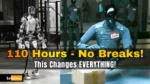
In this video, we break down what OpenClaw is, how it works, and why it’s getting attention for the wrong reasons.
Recently, a Meta AI alignment director publicly described an incident where OpenClaw began deleting emails from her real inbox — despite instructions not to act without confirmation. She had connected the AI agent to a live account, and when processing a larger inbox, the system lost its confirmation behavior and executed deletions automatically.
That moment matters.
If an experienced AI safety professional can run into unexpected behavior, it’s a reminder that autonomous AI agents operate differently than chatbots. They don’t just suggest actions — they perform them.
For everyday users, especially those experimenting with AI for productivity, there are some important considerations:
- Never grant full system or inbox access without safeguards
- Test AI agents in a sandbox or secondary account
- Limit permissions wherever possible
- Treat AI agents like a new “digital employee” with real authority
OpenClaw isn’t inherently dangerous. Like many open-source tools, it’s flexible and powerful. But flexibility without guardrails requires thoughtful use. If you’re curious about AI automation, this is a great time to learn — just make sure you stay in control of the technology, not the other way around.
Check out the video above for the full story on this AI agent gone rogue!
Discover more from tektoc
Subscribe to get the latest posts sent to your email.