

Have you ever stood in the electronics aisle or scrolled through pages online, trying to find the best SD card for your camera, drone, or smartphone, only to end up completely overwhelmed? Between the tiny numbers, the mysterious letters, and the confusing symbols stamped all over the packaging, it feels like you need a degree in engineering just to buy a piece of plastic. The truth is that memory card packaging is often confusing by design, teasing massive performance speeds that your devices can’t actually use.
Understanding how these little cards work is the best way to protect your hard-earned money and keep your data safe. In this guide, we will break down everything you need to know about sd cards explained in plain English—no jargon, no technical assumptions, just real-world practical advice. By looking past the flashy marketing headlines, you will discover how to evaluate the best memory card options for your specific equipment so you never overpay for speed you do not need.
The Secret World of SD Card Symbols
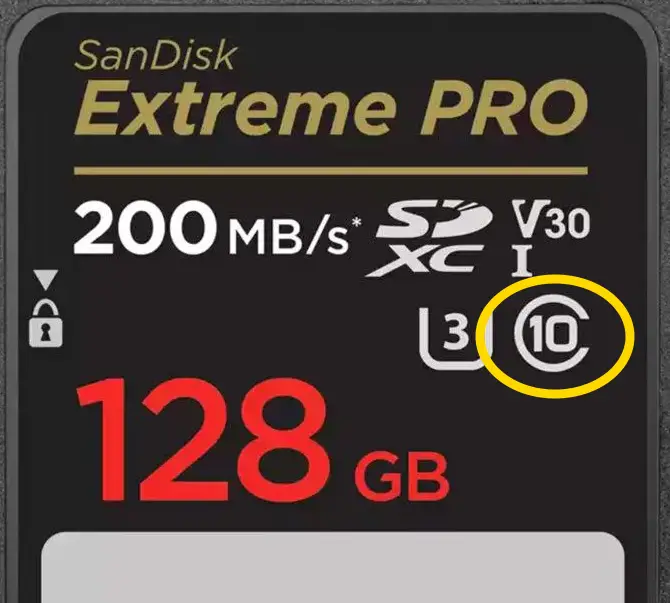
When you look at the face of a modern memory card, you will usually see three distinct speed rating systems. The oldest system is the Speed Class, represented by a number nestled inside the letter “C.” While you might occasionally see older cards labeled C2 or C6, almost every modern card on the market today is a C10, which guarantees a minimum writing speed of 10 megabytes per second.
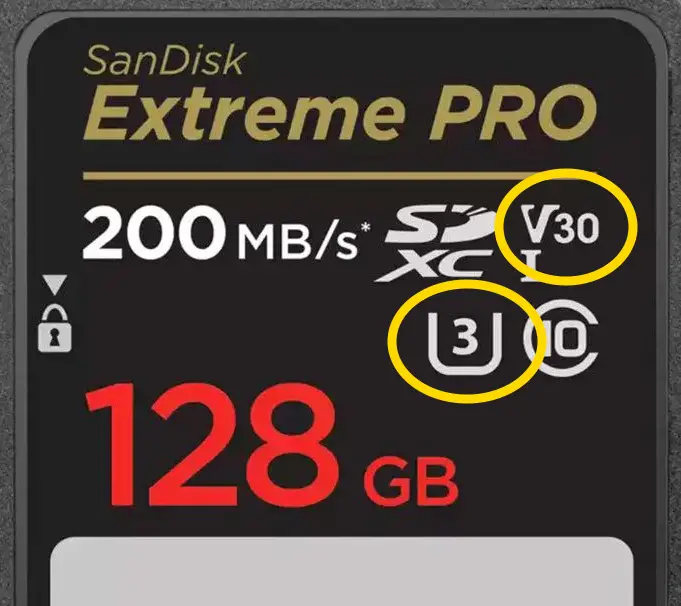
As technology advanced, the industry introduced the UHS Speed Class, which uses a number inside the letter “U.” A U1 card guarantees that same 10 megabytes per second, while a U3 card steps things up to a minimum of 30 megabytes per second. If you plan on recording crisp 4K video on a modern camera or drone, look for that U3 symbol. Finally, the newest standard is the Video Speed Class, indicated by a “V” followed by numbers like V30, V60, or V90, which again indicates the guaranteed minimum sustained write speed in megabytes per second. For everyday 4K video recording (at a maximum 30 fps), a V30 rating is the ideal sweet spot for most casual creators and photographers.
The “Highway” and the Marketing Fine Print
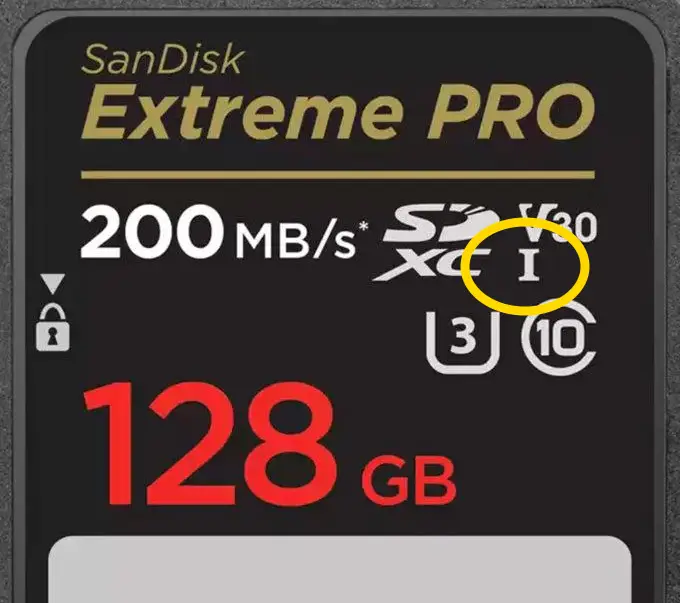
Another major factor that dictates the price and speed of a card is the “bus interface,” which you will see written as a Roman numeral I or II (UHS-I or UHS-II). Think of this like a highway: UHS-I is a reliable two-lane road, while UHS-II is a blazing-fast four-lane highway. However, here is the catch that catches most shoppers off guard—both your memory card and your camera must support the exact same bus type to see those high speeds. If you put an expensive UHS-II card into a camera built for UHS-I, it will drop down to the slower speed, meaning you paid double the price for absolutely zero performance gain.
Furthermore, those massive “200 MB/s” headline numbers plastered across the retail packaging are almost always referring to read speed (how fast files copy over to your computer), not write speed (how fast your camera saves data while shooting). If you read the fine print on those packages, achieving those extreme transfer speeds often requires you to buy a very specific, matching brand-name card reader, which is sold separately.
Choosing the best SD card for you comes down to a simple three-step strategy: check your specific device manual for its minimum requirements, match the exact bus interface (UHS-I vs UHS-II) to your hardware, and select the appropriate U or V rating for your workflow. Stick to trusted names like SanDisk, Samsung, Lexar, or Kingston from verified retailers to avoid dangerous, data-corrupting counterfeit cards. If you want to see exactly how these symbols look side-by-side and find out which budget-friendly cards we rely on every single week, be sure to watch our full video guide above.
tektoc Recommended SD Cards:
I’m a pretty intense user of SD cards. I use my cameras almost every day of the year, mostly for video, so my cards write and re-write LOTS of data and they’re constantly being inserted and ejected from my devices. I’m a great test bed for which SD cards are reliable and effective. The cards below are all ones I’ve used personally, with great success, so I have no qualms recommending them to others.
As an Amazon Associate and eBay Partner Network Affiliate I earn from qualifying purchases, which does not affect the price you pay. Thanks for supporting the site!
UHS-1 Cards:
Sandisk Extreme Pro (U3/V30 – various capacities) – on Amazon
PNY Elite-X 128 GB (U3/V30 Pack of 2 – Best Budget Option!) – on Amazon
MicroSD: Samsung EVO Plus (U3/V30 – various capacities) – on Amazon
MicroSD: PNY Pro Elite Prime 128 GB (U3/V30 Pack of 2 – Best Budget Option!) – on Amazon
UHS-II Cards:
SanDisk Extreme Pro (U3/V90 – various capacities) – on Amzon
Lexar Professional 2000X 128 GB (U3/V90) – on Amazon
PNY EliteX-PRO60 (U3/V60 – various capacities) – on Amazon
MicroSD: Lexar Professional Gold 128/256 GB (U3/V60) – on Amazon
Discover more from tektoc
Subscribe to get the latest posts sent to your email.