

Good password security doesn’t have to mean memorizing forty different jumbles of letters and symbols, or keeping a notebook of logins tucked in your desk drawer. After getting an alert that some of my own passwords had turned up in a data leak, I sat down and rebuilt how I handle every login in my digital life — and I’m sharing exactly what I did, because it’s simpler than you think.
Why Reusing Passwords Is Riskier Than It Feels
Here’s the part that surprised me most. When a company suffers a data breach, hackers don’t just target that one site. They take the stolen email-and-password combinations and automatically test them against thousands of other websites, including banks and investment accounts. So if you use the same password for a small online shop that you use for your retirement account, a breach at that shop can open the door to your finances too.
That’s why the golden rule is simple: your banking and financial passwords should always be unique and never reused anywhere else.
A Simple System for Sorting Your Passwords
Rather than treating every password the same, I now think about them in tiers based on what would actually go wrong if they leaked:
- Financial accounts (banking, investing) get a completely unique password each.
- Shopping accounts can share a password within a category, since the worst case is usually a disputable charge.
- Low-stakes accounts like blogs or social media can share a common password too, with extra care for anything monetized.
Once you’ve sorted your accounts this way, the next step is making the passwords themselves harder to guess. Skip the name-and-birthday combo — instead, string together three or four random, memorable words with a number or two, like “Blue Barn Coffee Chair 56!” It’s easy to type and remember, but would take a computer decades to crack.
The Free Tool That Remembers Everything For You
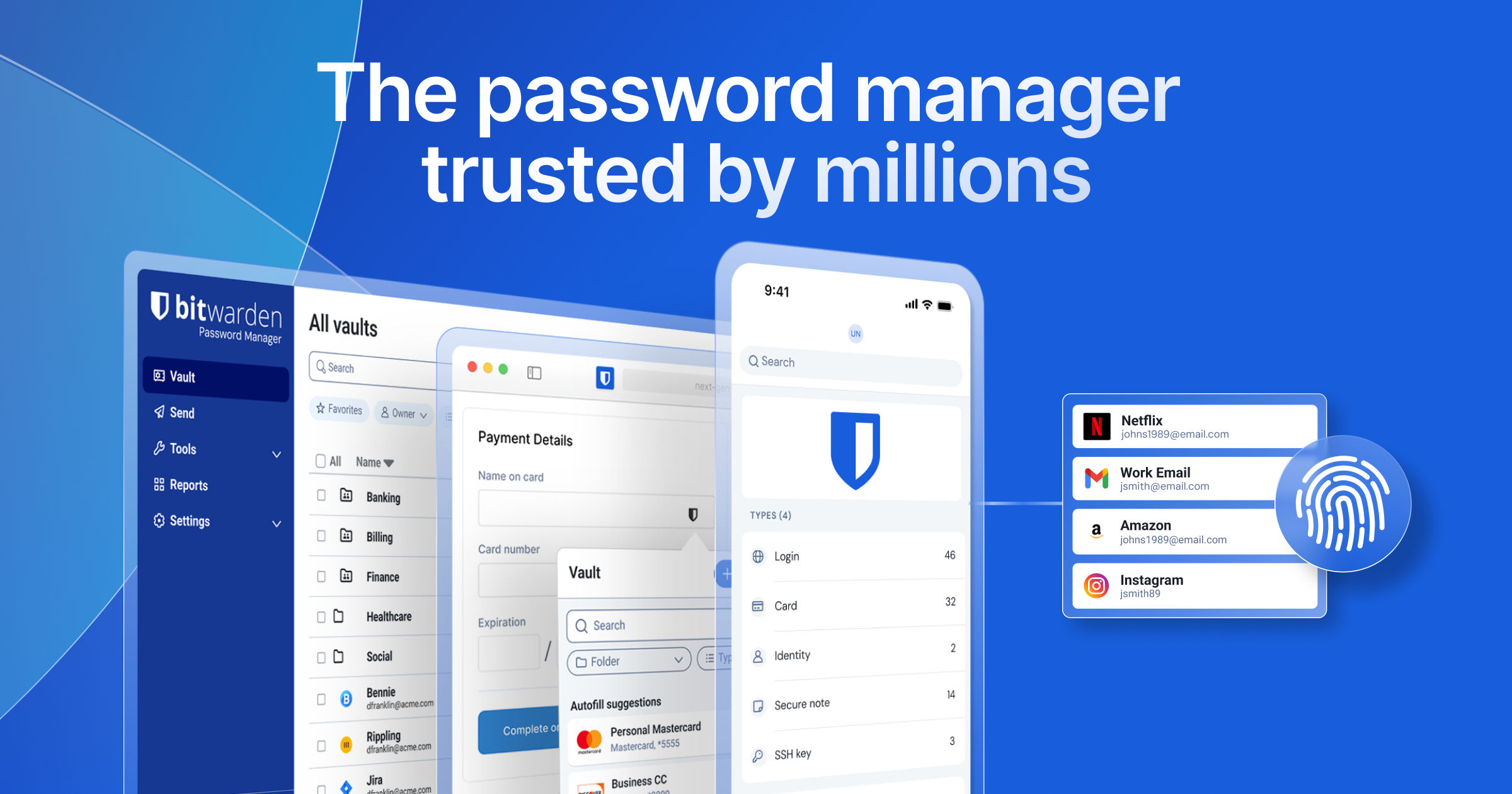
This is where things get genuinely easier. Instead of trying to keep dozens of these passwords in your head, I use a free password manager called Bitwarden — and it’s become my pick for the best free password manager available today.
A few reasons it’s earned that trust:
- It’s open-source, meaning independent security researchers can inspect the code, so there are no hidden backdoors.
- It uses 256-bit local encryption, scrambling your data on your own device before it ever reaches Bitwarden’s servers — so even the company itself can’t see your actual passwords.
- It’s trusted by more than 15 million users and 80,000 businesses worldwide.
With Bitwarden, you only need to remember one master password. Once you’re logged in, it automatically fills in your usernames and passwords across your browser, desktop, and phone — on Windows, Mac, Linux, Android, and iOS. The free tier lets you store unlimited passwords on unlimited devices, which is genuinely enough for the vast majority of everyday users.
Setting It Up Takes Just a Few Minutes
Getting started is refreshingly simple: create a free account at Bitwarden’s site, choose a strong master password, and install the desktop app and browser extension. From there, Bitwarden will start recognizing login pages automatically and offer to fill in — or save — your credentials as you browse. The same setup works on your phone once you enable autofill in your device settings, so your entire vault travels with you.
Wrapping Up
Tightening up my password security ended up being one of the easiest, cheapest changes I’ve made to protect my accounts and my money — and it cost nothing. If you haven’t given your passwords a proper cleanup yet, there’s no better time to start — and no reason it should cost you a thing.
For the full details, and a step-by-step guide to setting up Bitwarden, check out the video at the top of this page.
Visit the Bitwarden website here:
Speaking of Getting Things Cleaned Up…..
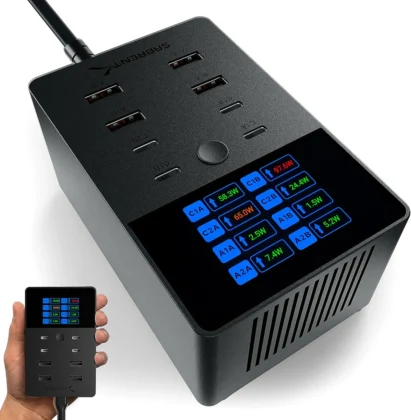
If your nightstand, desk or office space feels like a clutter of various USB chargers and cables, maybe it’s time to get that cleaned up, too. The Sabrent Voltik 252W charging station is a fantastic solution for an all-in-one charging solution that gets rid of all those mismatched charging blocks and centralizes all your charging into one neat, convenient location.
With 252 watts of total USB-PD-compliant power available across 8 charging ports, the Voltik 252W can charge anything from phones to laptops to toys to cameras to lights without breaking a sweat. It also tells you how much power each device is drawing which is invaluable for ensuring your devices are working correctly.
Check out my full video review of the Voltik 252W here.
I’ve been using the Voltik 252W in my studio for the last six months and I’ve been absolutely thrilled with it.
Get the Sabrent Voltik 252W on Amazon!
(This link is an affiliate link – I may receive a commission on any purchases made, but that does not affect the price you pay and helps support this site and my YouTube channel.)
Recent Posts
- DJI Osmo Pocket 3 Review: Still the Best Budget Vlogging Camera Right Now
- Are Humans Still In Control? Key Insights From the OpenAI AI Security Incident With Hugging Face
- Why Is RAM So Expensive Right Now? The Real Story Behind the Shortage
- AI Governance in the Spotlight: What an OpenAI Model Hacking a Real Company Means for You
- The DJI Osmo Pocket 3: Why I Waited Two Years (and Why You Shouldn’t)
Discover more from tektoc
Subscribe to get the latest posts sent to your email.
