

If AI has ever felt like a fancy search engine that’s wrong half the time, you’re not alone, and it isn’t because you’re not techy enough. Most of us were simply never shown how to talk to it. This ‘How to Use AI for Beginners’ guide explains why AI sometimes gets things wrong, how to get answers you can actually use, and the one thing you should never let it do.
Why AI Sometimes Gets It Wrong
A search engine like Google finds web pages that people wrote, and you decide which ones to trust. An AI chatbot works differently. Instead of fetching a page, it writes a brand new answer based on patterns it learned from an enormous amount of text. That’s why it’s so good at explaining things in plain English, and it’s also why it can be wrong. When it doesn’t know something, it can fill the gap with an answer that sounds just as confident as the truth. The tech world calls this a hallucination.
My rule is simple. AI is great for explaining, planning, writing, rewording and brainstorming. But when it gives you a fact that matters, such as a name, date, price or phone number, or information about your health, money or the law, check it. Even Microsoft urges caution with its own assistant, as I covered in my post on Copilot’s “entertainment only” warning.
Stop Talking to AI Like a Search Engine
The second reason AI sometimes misses the mark is much easier to fix. We’ve spent years typing short bursts into Google, like “sardine recipe” or “printer not working.” Talk to AI that way and it has to guess who you are, what you have and what you want, and every guess is a chance to get it wrong. Instead, talk to it like a knowledgeable friend: use full sentences, give it some background, and say what you’re hoping to end up with.
In the video at the top of this post, I share a real example. I asked Claude what I could make for lunch with rice and canned sardines, and at first I got a list of ideas, much like a search engine would give me. But it then asked what else I had on hand. Once I told it, I got a single recipe built around my own kitchen. When I changed my mind and asked it to adapt a different dish, it reworked the recipe on the spot, and even suggested ground ginger as a swap for fresh. That back-and-forth is the real skill. If an answer isn’t quite right, don’t start over. Tell it what’s wrong: “that’s too complicated,” “make it for two,” or “explain that more simply.”

As for which tool to use, ChatGPT, Google’s Gemini, Microsoft’s Copilot and Claude all have free versions, and any of them is fine for getting started. I use Claude, but every tip here works with all of them. Try asking two of them the same question and keep the one you like talking to.
Give AI a Home Base with Projects and Memory
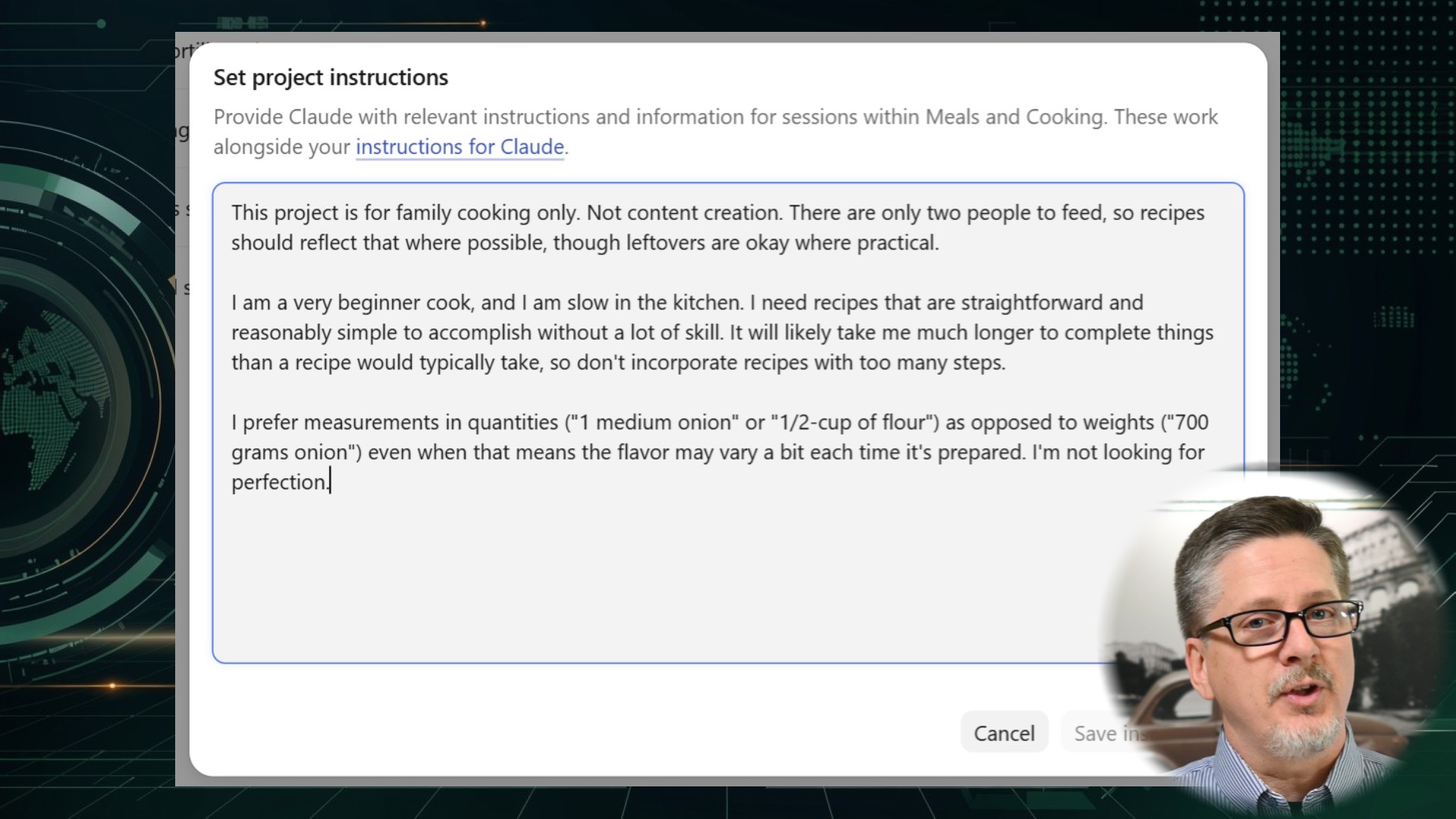
Every new chat usually starts from scratch. Projects fix that. A Project (Google calls them Gems) is a dedicated space for one subject, with instructions the AI follows in every conversation inside it. My cooking project tells Claude I’m cooking for two, that I’m a beginner who’s slow in the kitchen, and that I prefer measurements like “one medium onion” over weights. Now I never have to explain myself again. A few sentences is plenty: who you are, what you need and how you like your answers. Projects also keep things tidy, so your cooking chats stay separate from your computer questions.
Memory is the other piece. Many AI services can now remember details from past conversations, and you stay in charge. In the settings you can see what it remembers, correct anything that’s out of date, or turn memory off entirely.
The One Thing You Should Never Let AI Do
Never let AI make your decisions for you. It isn’t infallible, it can change its mind simply because you pushed back, and it doesn’t live with the consequences. You do. Use it as an idea engine instead.
In the video, I show how Claude helped me build a pre-filming checklist after one of my videos didn’t do well. One rule didn’t sit right with me, so rather than just deleting it, I asked Claude why it might be a problem. It gave thoughtful reasons, admitted it had read more into my viewer numbers than they really supported, and suggested a better rule. The final call was still mine. And notice the warning: if a good question can change its mind, a bad one can too.
Try this method yourself:
- Ask your question.
- Give context and say what you’re hoping for.
- Probe the answer by asking why.
- Challenge it by asking what could go wrong.
- Decide for yourself.
AI for Beginners: Five Ways to Stay Safe and in Control
- It’s not infallible. Use AI to understand health, money or legal questions, then check the answer with a professional or an official source.
- It’s not your friend. It’s friendly, patient and very human-sounding, but it’s a tool. Keep the real people in your life first. We talked about the dangers of being too personally involved with AI models in this post: AI Models Are Causing Serious Mental Health Issues – What You Need To Know About ‘ChatGPT Psychosis’
- Mind your manners. AI tends to mirror your tone, so clear, polite requests usually get clearer, more useful answers.
- Keep private information private. Never type in passwords, banking details, card numbers or ID numbers, and remove your name, address and account numbers from any document first. My post on password security made simple can help here too.
- Scammers use AI too. AI can copy a voice from a short clip, fake a video and write flawless emails. If an urgent call asks for money, even one that sounds like family, hang up and call back on a number you already know.
Want to Go Further?
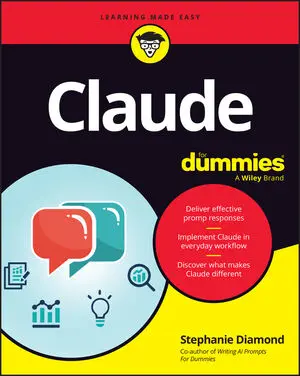
If you’d like more help using AI in general and Claude in particular, I recommend Claude For Dummies, available in paperback, Kindle and audiobook.
As an Amazon Associate, I earn from qualifying purchases at no extra cost to you. Thank you for supporting tektoc!
Used the right way, AI goes from a disappointing search engine to one of the most useful tools on your computer. Talk to it in full sentences, check the facts that matter, and always make the final decision yourself.
Make sure you check out the video at the top of this post to see the real conversations in action!
Discover more from tektoc
Subscribe to get the latest posts sent to your email.