
Thinking about buying a new computer? Before you reach for a laptop, ask yourself one honest question: when did yours last leave the desk? In this mini PC vs laptop comparison, I’ll show you why a small desktop is often the smarter buy for your home or office, and how to fit one into even the tightest space.
The Laptop Tax: What You Really Pay for Portability
A laptop packs a computer, screen, keyboard, trackpad, battery, speakers and webcam into one thin case. That’s clever engineering, but you pay for it. For the same money, a desktop usually gives you a faster processor, more memory or more storage. I call that extra cost the laptop tax.
Yet most home laptops sit on one desk, plugged in, often hooked up to a bigger monitor and a proper keyboard. That means you’ve paid for a screen, keyboard and battery you barely use.
Laptops still have their place. If you travel, move between classes or work from the couch one hour and the kitchen table the next, a laptop is worth the extra money. If your computer never moves, it isn’t.
Why Thin Laptops Run Hot and Get Replaced
A thin case leaves very little room for cooling. When a laptop’s processor gets too hot, it slows itself down. That’s called throttling, and it makes your computer feel sluggish during long video calls, photo editing or big updates. As dust builds up in those tiny fans over the years, it only gets worse.
Repairs are the other problem. A dead desktop keyboard is a quick swap. On a laptop, replacing a dead keyboard or trackpad means splitting open the case and incurring a sizeable repair bill. A cracked screen can cost a big chunk of what the machine is worth, and the memory (and sometimes the storage device) is frequently soldered to the motherboard, making upgrades and repair difficult or impossible. On laptops, one bad part can mean the repair stops making financial sense, so perfectly good laptops get thrown out early. I dig into that bigger issue in my post on planned obsolescence.
Mini PC vs Laptop: Where the Mini PC Wins
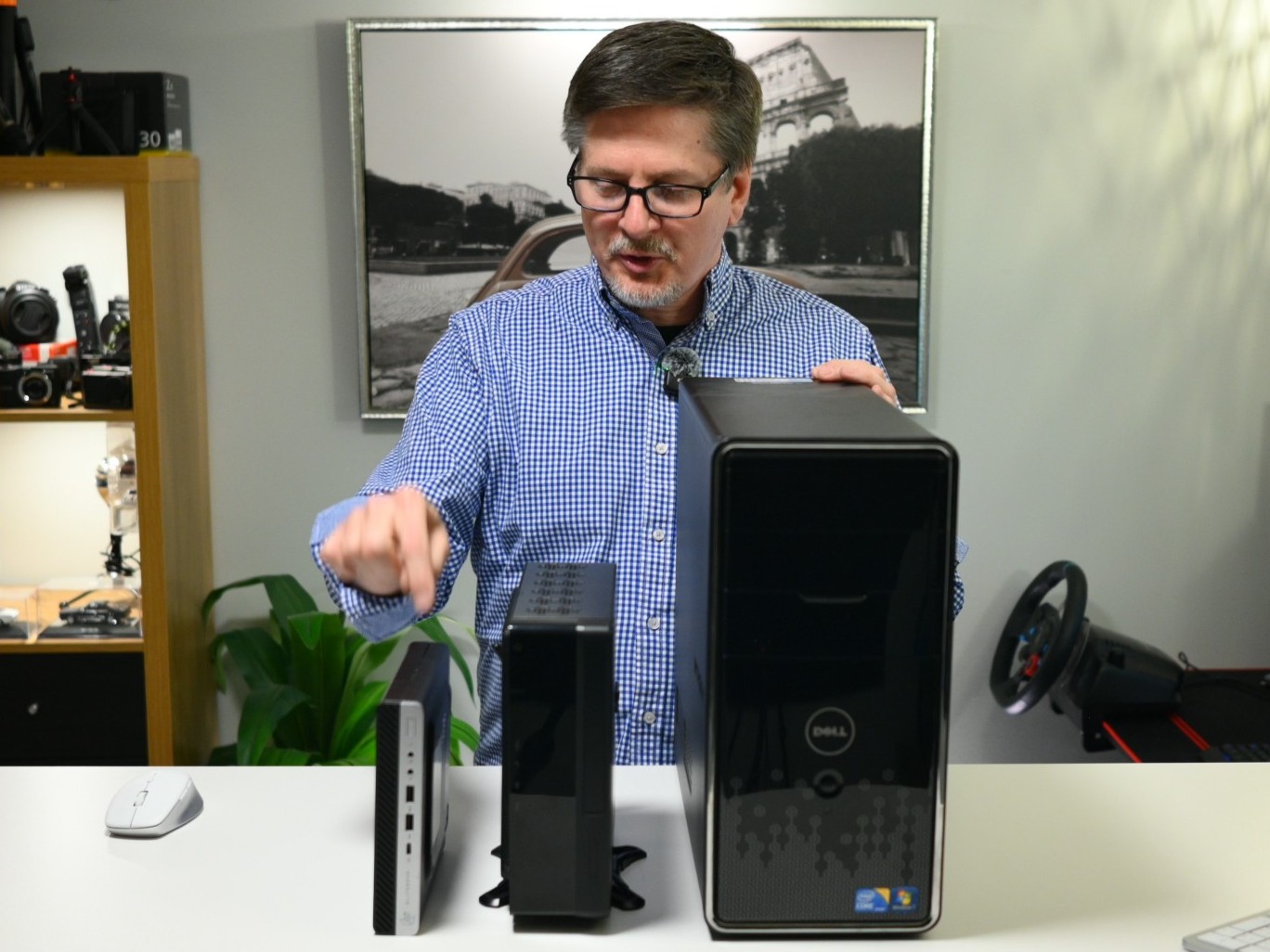
The alternative isn’t a big tower under your desk. My HP EliteDesk 800 G3 Mini is about the size of a small book, yet it’s a complete computer with plenty of USB and video ports.
The trade-off is a lower-power processor than a full-size tower. Many consumer models use laptop-class chips, while business minis like mine use Intel’s somewhat-more-powerful T-series desktop chips, tuned to run cooler. But a mini PC has room to breathe, with a proper fan and vents, so it can run at full speed without throttling. The memory and storage are also easy to reach and upgrade.
Is a Refurbished Model the Best Mini PC for You?
Business minis like the HP EliteDesk, Lenovo ThinkCentre Tiny and Dell OptiPlex Micro were built to run all day in offices. When companies upgrade, they hit the refurbished market cheaply. At the time of writing, models like mine with 16 GB of RAM sell for around $150 to $175 US, which can make them among the best affordable mini PCs for everyday use. Check two things in the listing:
- The processor. For Windows 11, look for an Intel 8th generation processor or newer, or an AMD Ryzen 2000 series or newer. Mine has a 6th generation i5-6500T, which Windows 11 doesn’t support, so it runs Fedora Linux instead. My Windows 10 end of support options post covers other choices for older hardware.
- Wi-Fi. Many office minis have none. If the listing doesn’t mention it, assume it’s missing. A USB Wi-Fi adapter fixes that for a few dollars.
The Space-Saving Mini PC Setup
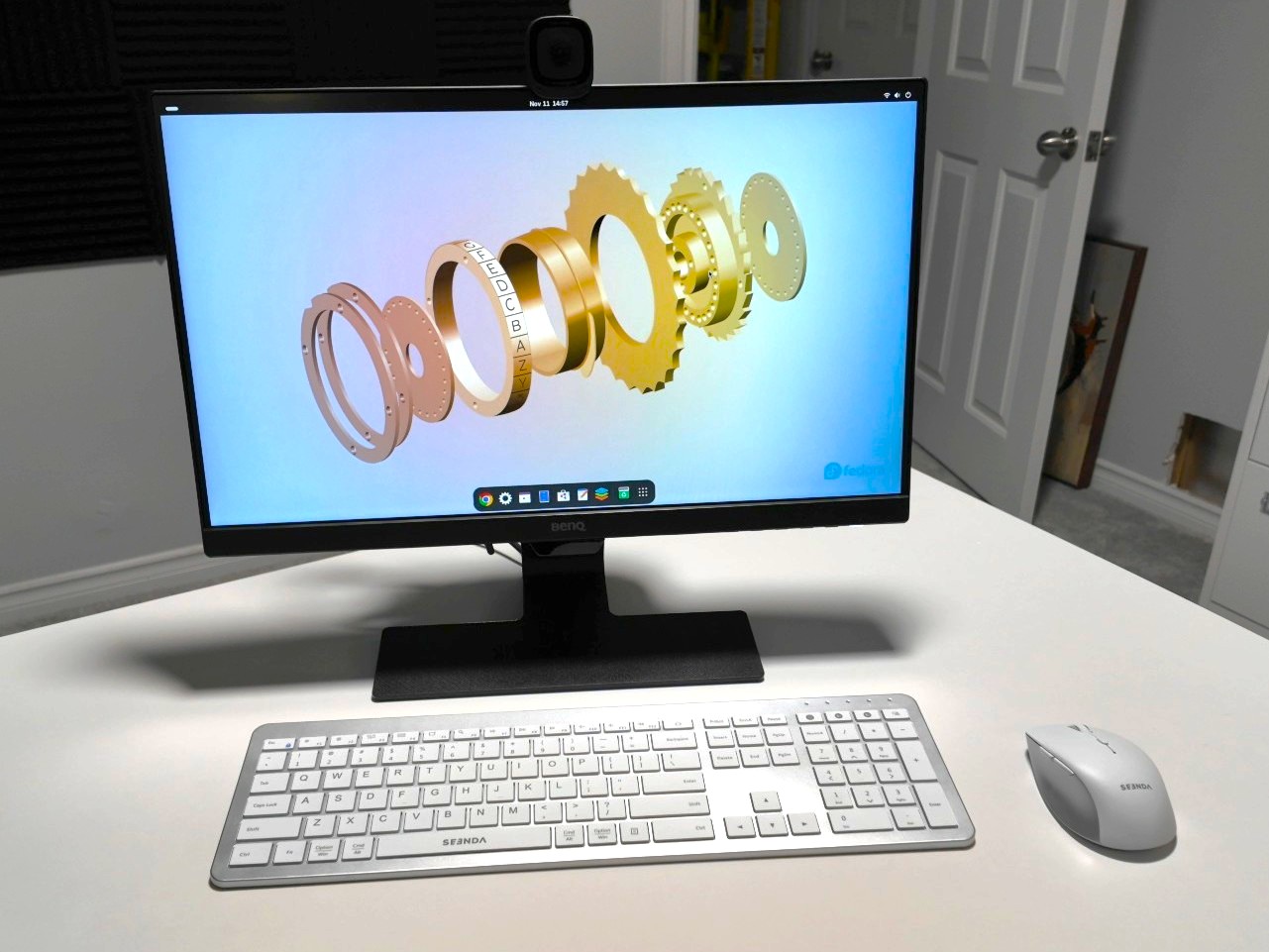
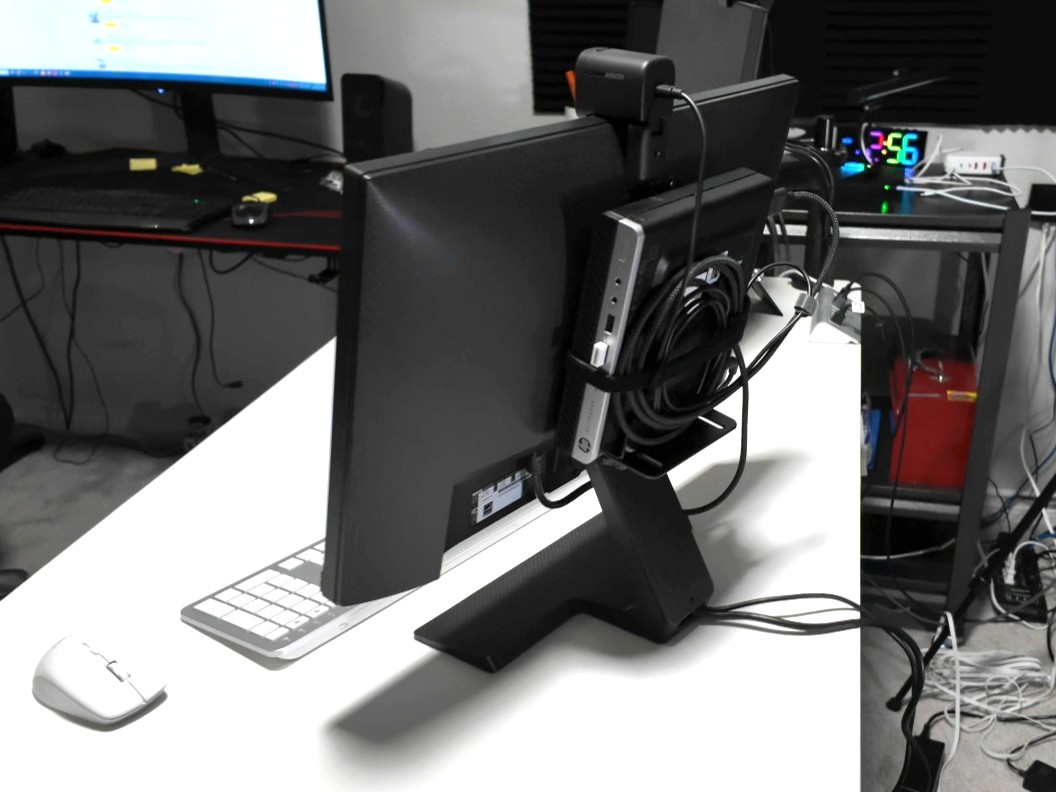
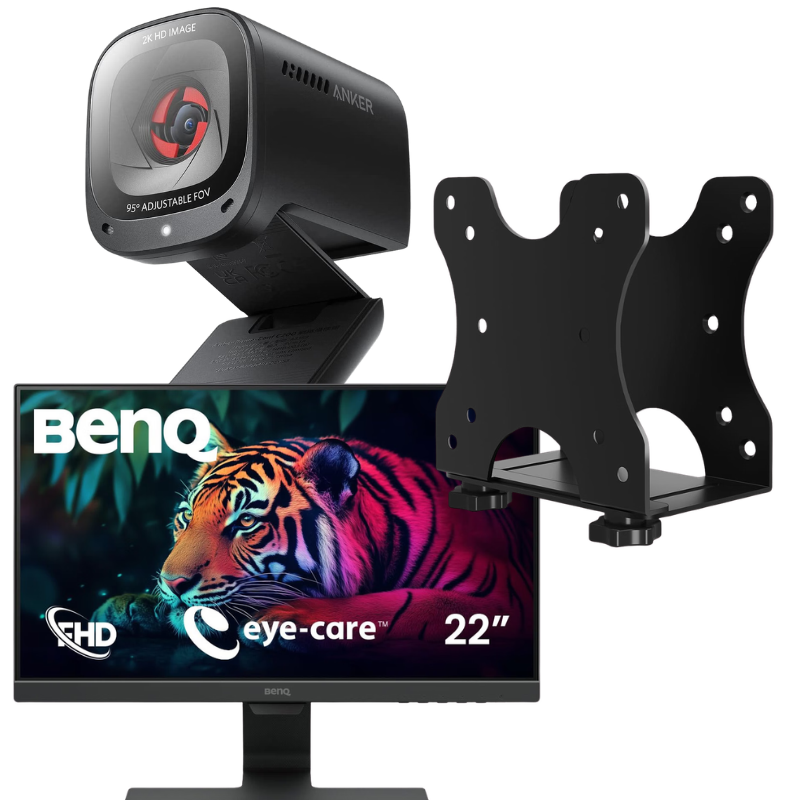
An inexpensive bracket screws onto the back of your monitor, and the mini PC slides in behind the screen. From the front, all you see is a monitor, keyboard and mouse. It takes no more room than a laptop and is far more comfortable to use.
Your monitor needs VESA mounting holes, four screw holes in a square on the back, usually 75 or 100 mm apart. Many budget monitors lack them. I used the BenQ GW2283, a 22-inch IPS monitor with VESA holes and speakers, plus an Anker PowerConf C200 webcam, since a mini PC has no camera. At the time of filming, the whole setup cost under $400 from Amazon.
Products in This Video
- Amazon Refurbished Mini PCs
- Mini PC Mounting Bracket
- BenQ GW2283 Monitor
- Anker PowerConf C200 Webcam
As an Amazon Associate, I earn from qualifying purchases at no extra cost to you. Thank you for supporting tektoc!
So, mini PC vs laptop? If your computer travels, buy the laptop. If it lives on your desk, a mini PC can cost less, run cooler, last longer and be easier to fix.
Make sure you check out the video at the top of this post to see all the details on this build!
Discover more from tektoc
Subscribe to get the latest posts sent to your email.